
As an Amazon Associate, we earn from qualifying purchases.
Quick Answer: The right standing desk depends on your budget, desk size needs, and motor quality. For the best value, the FEZIBO Electric Standing Desk ($129.99) delivers solid performance under $150. For premium build quality, the FlexiSpot E6 Bamboo ($299.99, 36% off) is the sweet spot.
Why a Standing Desk Changes Everything
If you work from home 8+ hours a day, sitting the entire time is slowly killing your back, neck, and energy levels. Studies consistently show that alternating between sitting and standing throughout the day reduces back pain, improves energy, and increases productivity.
The question on r/standingdesk every single day is: “Which standing desk should I buy?” The market is flooded with options from $100 to $2,000+, and it’s hard to tell what actually matters. This guide cuts through the noise and shows you exactly what to look for — and what to skip.
Step 1: Set Your Budget
Standing desks fall into three clear price tiers:
Budget ($100-$200): Single motor, basic features, thinner frames. Fine for most people. Expect some wobble at max height.
Mid-Range ($200-$500): Dual motors, better stability, memory presets, thicker steel frames. The sweet spot for serious home offices.
Premium ($500+): Top-tier build quality, best stability, longest warranties, premium desktop materials. Worth it if this is your forever desk.
Step 2: Know What Features Actually Matter
Dual Motor vs Single Motor
Dual motors lift faster, smoother, and handle heavier loads. Single motors work fine but are slower and noisier. If your budget allows, always go dual motor.
Height Range
This is critical and often overlooked. Use an ergonomic calculator online to find your ideal standing height. Most desks go from about 28″ to 48″. If you’re over 6’2″ or under 5’4″, check that the desk reaches your correct height.
Weight Capacity
Your monitors, laptop, keyboard, books, and accessories add up fast. Look for 220+ lbs capacity. Budget desks often cap at 150 lbs — that’s tight if you have a dual monitor setup.
Memory Presets
Buttons that save your preferred sitting and standing heights. Without these, you’ll manually adjust every time — and eventually stop switching positions. This is a must-have feature.
Desktop Size
55″ x 28″ is the standard for most home offices. If you have dual monitors + a laptop, consider 60″ or wider. Depth matters too — 28-30″ gives you room for a monitor at proper viewing distance.
Step 3: What to Skip
Desk converters: Those platforms that sit ON your existing desk. They wobble, take up space, and limit your monitor placement. A full standing desk is always better.
Manual crank desks: If adjusting your desk is a hassle, you won’t do it. Electric adjustment is worth the extra cost.
Built-in wireless chargers: Gimmick. They stop working or become outdated. Buy a separate charger for $15.
Our Top 4 Picks for 2026
1. FlexiSpot E6 Bamboo — Best Mid-Range

Price: $299.99 (36% off) | Check price on Amazon →
The FlexiSpot E6 is the best value dual-motor standing desk in 2026. The 3-stage frame is rock solid, the bamboo desktop looks premium and is eco-friendly, and at 36% off it’s a steal. Dual motors, 220 lb capacity, memory presets, and anti-collision technology — everything you need, nothing you don’t.
✅ Dual motor | ✅ Bamboo desktop | ✅ 220 lb capacity | ✅ 36% off | ✅ Memory presets
2. FEZIBO Electric Standing Desk — Best Budget
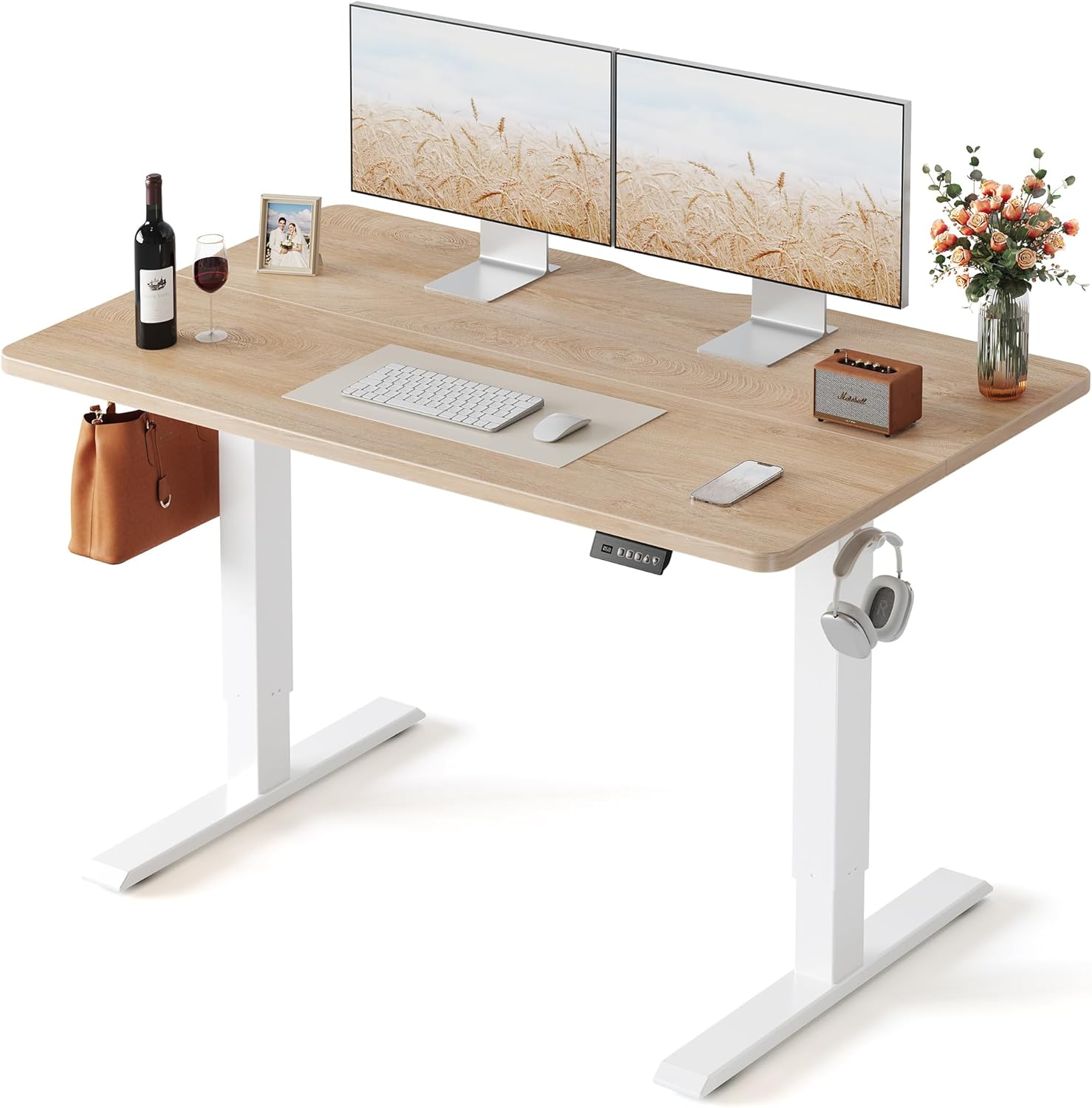
Price: $129.99 (7% off) | Check price on Amazon →
The FEZIBO is the standing desk r/standingdesk recommends most for budget buyers. Under $130 for a 55″ x 24″ electric desk with a splice board design, memory presets, and smooth height adjustment. It wobbles slightly at max height (as all budget desks do), but at normal standing height it’s perfectly stable for daily work.
✅ Under $130 | ✅ 55″ wide | ✅ Memory presets | ❌ Slight wobble at max height | ❌ Single motor
3. Grandder Large Standing Desk — Best for Big Setups

Price: $179.99 | Check price on Amazon →
If you need a deep desktop for dual monitors or an ultrawide setup, the Grandder delivers 55″ x 32″ — that extra 4″ of depth over standard desks makes a noticeable difference for monitor placement and arm comfort. Memory presets, hooks for cable management, and a clean oak finish. Great value for the size.
✅ 32″ deep — extra room | ✅ Memory presets | ✅ Cable hooks included | ❌ Lesser-known brand
4. UPLIFT V3 — Best Premium

Price: $1,088 | Check price on Amazon →
The UPLIFT V3 is the gold standard of standing desks. Acacia butcher block top, C-frame design for maximum legroom, advanced keypad, wire grommets, wire tray, and a rocker board included. This is a forever desk — built to last 15+ years with a 15-year warranty to back it up. If your budget allows, this is the desk to buy once and never think about again.
✅ Premium build quality | ✅ Acacia butcher block | ✅ 15-year warranty | ✅ Wire management included | ❌ $1,088 — serious investment
Frequently Asked Questions
How long should I stand vs sit during the day?
The general recommendation is a 1:1 or 2:1 sit-to-stand ratio. Start with 15-20 minutes standing per hour and increase gradually. Most ergonomic experts suggest 2-4 hours of standing spread throughout the day — not all at once.
Do I need an anti-fatigue mat?
Yes — standing on a hard floor for hours hurts your feet and joints. A $30-$40 anti-fatigue mat makes standing comfortable. It’s the best accessory you can add to a standing desk.
Will a standing desk wobble during video calls?
Budget desks may wobble slightly at maximum height during aggressive typing. Mid-range and premium desks are stable at all heights. If stability is critical, go dual motor with a crossbar frame.
Final Verdict
For most home office workers, the FlexiSpot E6 Bamboo at $299.99 (36% off) is the best balance of quality, features, and price. Budget buyers should grab the FEZIBO at $129.99 — it’s hard to beat for the price. And if you want a desk that lasts a lifetime, the UPLIFT V3 is the ultimate choice.
Related articles you might like: