
As an Amazon Associate, we earn from qualifying purchases.
Quick Answer: You can build a productive, ergonomic home office for under $500. Prioritize a good desk and ergonomic accessories over a fancy chair. The setup below costs $456.07 total and covers everything you need to work from home comfortably and efficiently.
The $500 Home Office Budget — Where Every Dollar Goes
This is the most common question on r/homeoffice: “I have $500 for a home office — what should I buy?” Most people waste money on the wrong things. They overspend on a chair and underinvest in the accessories that actually impact daily comfort and productivity.
Here’s exactly how to spend $500 for maximum impact, with every product linked and priced.
Your Complete $500 Setup
| Item | Product | Price |
|---|---|---|
| Desk | FEZIBO Electric Standing Desk | $129.99 |
| Laptop Stand | Nulaxy Ergonomic Stand | $16.99 |
| Mouse | Logitech MX Master 3S | $109.99 |
| Monitor Light | BenQ ScreenBar Halo 2 | $179.10 |
| TOTAL | $436.07 | |
| Remaining | Keyboard + accessories | ~$64 |
Step 1: The Desk — FEZIBO Electric Standing Desk ($129.99)
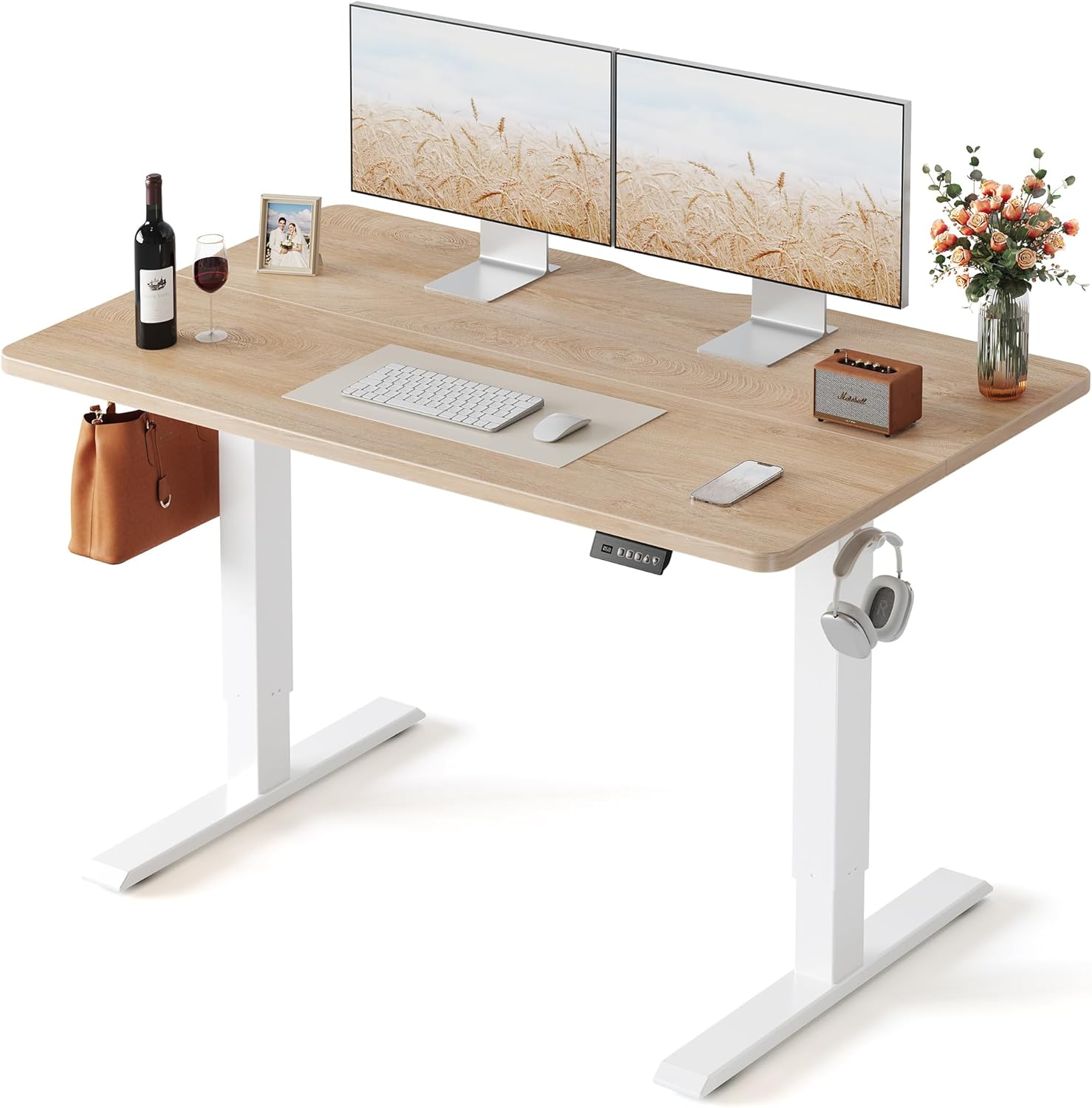
A standing desk under $130 might sound too good, but the FEZIBO is the most recommended budget standing desk on Reddit for a reason. 55″ x 24″ gives you plenty of room for a laptop, external monitor, and accessories. Electric height adjustment with memory presets means you’ll actually switch between sitting and standing throughout the day.
Why this over a regular desk: The ability to stand for even 1-2 hours a day reduces back pain and increases energy. At $130, the price difference over a basic desk is minimal but the health benefit is massive.
Pro tip: Set two height presets — one for sitting, one for standing. Alternate every 45-60 minutes. You’ll feel the difference within a week.
Step 2: Laptop Stand — Nulaxy Ergonomic Stand ($16.99)

This is the single best $17 you’ll spend on your home office. If you work on a laptop without an external monitor, a laptop stand raises your screen to eye level and eliminates neck strain immediately. The Nulaxy is adjustable, foldable, and built with aluminum — it feels premium despite costing less than lunch.
Why this matters: Without a stand, you’re looking down at your laptop 8+ hours a day. This causes neck strain, headaches, and upper back pain. A stand fixes all of that for $17.
Important: You’ll need an external keyboard once your laptop is elevated. Budget $25-$30 from your remaining $64 for a Logitech K380 or similar.
Step 3: Mouse — Logitech MX Master 3S ($109.99)

“$110 for a mouse?!” — I know. But hear me out. The MX Master 3S is the most popular productivity mouse in the world for a reason. The MagSpeed scroll wheel flies through long documents and spreadsheets. It tracks on any surface including glass. It connects to 3 devices and switches between them with a button. And quiet clicks mean no annoying sounds during Zoom calls.
Why not a cheaper mouse: You touch your mouse 8+ hours a day, 5 days a week. A $20 mouse with a bad scroll wheel and laggy connection costs you time every single day. The MX Master pays for itself in productivity within a month.
Budget alternative: If $110 is too much, the Logitech Lift ($69.49) or Anker Vertical Mouse ($19.98) are great ergonomic alternatives.
Step 4: Monitor Light — BenQ ScreenBar Halo 2 ($179.10)

A monitor light bar is the most underrated home office upgrade. It lights your desk without creating screen glare — something a desk lamp can’t do. The BenQ ScreenBar Halo 2 has a wireless controller, motion sensor (turns on when you sit down), and adjustable brightness and color temperature. It also has a backlight that illuminates the wall behind your monitor, reducing eye strain in dark rooms.
Why lighting matters: Poor desk lighting causes eye fatigue, headaches, and reduced focus — especially during winter months or if your office doesn’t have great natural light. A monitor light bar is a permanent fix.
Budget alternative: If $179 is too much, the original BenQ ScreenBar ($109) or a MELIFO clone on Amazon ($30-$40) work well too.
Step 5: Spend Your Remaining ~$64 On
After the 4 main items ($436.07), you have about $64 left. Here’s how to spend it:
External keyboard ($25-$35): Logitech K380 ($35) is compact, Bluetooth, and works with 3 devices. Or the Logitech K270 ($25) if budget is tight.
Mouse pad ($10-$15): A large desk mat doubles as a mouse pad and protects your desk surface.
Cable management ($10-$15): A cable tray under your desk and a few Velcro cable ties clean up the mess.
What NOT to Buy With a $500 Budget
Don’t buy an expensive chair. A $300 chair eats 60% of your budget and leaves nothing for the accessories that matter more. Use whatever chair you have now and upgrade later when budget allows. Your kitchen chair with a $30 seat cushion works fine for the first few months.
Don’t buy a webcam. Your laptop camera is fine for 95% of video calls. Upgrade only if you do client-facing video regularly.
Don’t buy speakers. Use headphones. They’re better for focus and Zoom calls.
Frequently Asked Questions
Should I buy a chair or a desk first?
Desk first, always. A standing desk lets you alternate between sitting and standing, which reduces the need for an expensive chair. You can upgrade your chair later — but a bad desk with no ergonomic accessories will cause problems from day one.
Do I really need a standing desk if I’m on a budget?
At $130, the FEZIBO is only $30-$50 more than a basic desk. That small premium gives you the option to stand, which reduces back pain and increases energy. It’s the best $30 upgrade in any home office budget.
What should I upgrade next after the $500 setup?
An ergonomic chair ($300-$500) should be your next investment. Look for the Autonomous ErgoChair or a used Herman Miller Aeron on Facebook Marketplace ($300-$400). After that, an external monitor ($200-$300) is the biggest productivity upgrade you can make.
Final Checklist
✅ FEZIBO Standing Desk — $129.99
✅ Nulaxy Laptop Stand — $16.99
✅ Logitech MX Master 3S — $109.99
✅ BenQ ScreenBar Halo 2 — $179.10
✅ External keyboard — ~$30
✅ Mouse pad + cable management — ~$25
Total: ~$492
Related articles you might like: