
As an Amazon Associate, we earn from qualifying purchases. This helps support our site at no extra cost to you.
The best monitor light bars for home office in 2026 are the Quntis Monitor Lamp ($36.54) for best value and the BenQ ScreenBar Halo 2 ($179.10) for premium quality. A monitor light bar eliminates screen glare, reduces eye strain, and takes up zero desk space — one of the smartest upgrades for any WFH setup.
If you’ve ever dealt with eye fatigue, headaches, or glare on your screen during video calls, a monitor light bar is the fix. Unlike a desk lamp, it sits on top of your monitor and lights your desk without reflecting off the screen. Once you try one, you won’t go back.
We compared five of the best-selling monitor light bars on Amazon — from budget to premium — to find the best options at every price point.
Quick Comparison Table
| Light Bar | Price | Controller | Auto-Dimming | Best For |
|---|---|---|---|---|
| BenQ ScreenBar Halo 2 | $179.10 | Wireless | Yes | Premium, curved monitors |
| Quntis Monitor Lamp | $36.54 | Touch | Yes | Best overall value |
| BenQ ScreenBar (Original) | $92.65 | Touch (on bar) | Yes | Trusted mid-range |
| LYMAX Monitor Light Bar | $59.99 | Wireless remote | No (motion sensor) | Wireless control on budget |
| Yeelight Monitor Light Bar | $25.49 | Touch | No | Budget pick |
1. BenQ ScreenBar Halo 2 — Premium Pick

Price: $179.10 (currently 10% off) | Check Price on Amazon
The BenQ ScreenBar Halo 2 is the gold standard. The wireless controller lets you adjust brightness and color temperature with a smooth dial. The backlight illuminates the wall behind your monitor, reducing contrast for less eye strain. Auto-dimming sensor adjusts to ambient light, and the motion sensor turns on/off when you sit down or leave. Works with curved monitors.
Pros:
- Wireless controller — best in class
- Backlight reduces eye strain further
- Auto-dimming + motion sensor
- Works on curved monitors
Cons:
- Most expensive at $179
- Wireless controller needs AAA batteries
2. Quntis Computer Monitor Lamp — Best Overall Value

Price: $36.54 (currently 15% off) | Check Price on Amazon
The Quntis delivers about 80% of BenQ’s performance at 20% of the price. Auto-dimming, adjustable color temperature, touch controls, and zero screen glare — all under $37. Most-reviewed monitor light bar on Amazon. USB powered — runs from your monitor’s USB port.
Pros:
- Auto-dimming at budget price
- Touch control, adjustable color temp
- USB powered — no outlet needed
- Currently 15% off
Cons:
- Touch controls mean reaching up to bar
- May not fit very thick monitors
3. BenQ ScreenBar (Original) — Trusted Mid-Range

Price: $92.65 (currently 15% off) | Check Price on Amazon
The original BenQ ScreenBar that started it all. Same excellent auto-dimming sensor, premium build quality, and patented asymmetric light distribution. Touch controls on the bar. BenQ quality without the Halo 2 price.
Pros:
- BenQ build quality and light distribution
- Auto-dimming sensor
- Adjustable color temp (2700K-6500K)
- Currently 15% off
Cons:
- No wireless controller
- No backlight
- Doesn’t fit most curved monitors
4. LYMAX Monitor Light Bar — Best Wireless Remote on a Budget

Price: $59.99 (currently 5% off) | Check Price on Amazon
The LYMAX gives you a wireless remote control (like BenQ’s Halo 2) at a fraction of the cost. Adjust brightness and color temp from your desk. Motion sensor detects when you sit down. If wireless remote matters but $179 isn’t in budget, this is the sweet spot.
Pros:
- Wireless remote at half BenQ Halo 2 price
- Motion sensor auto on/off
- Adjustable brightness and color temp
Cons:
- No auto-dimming
- Less known brand
5. Yeelight LED Monitor Light Bar — Budget Pick
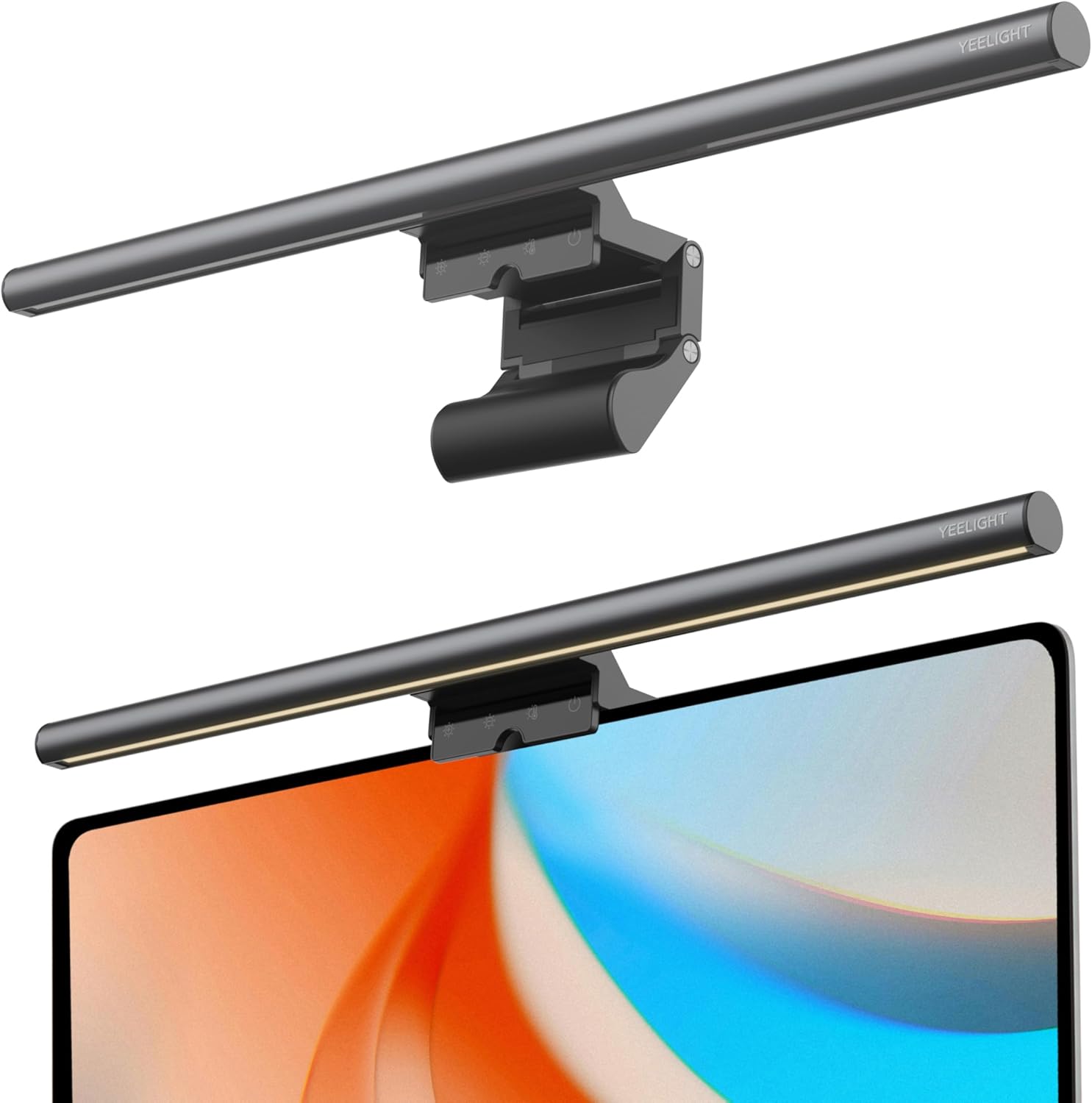
Price: $25.49 (currently 15% off) | Check Price on Amazon
At $25.49, the Yeelight is the cheapest worth buying. Xiaomi ecosystem brand with decent build quality. 250 lumens, touch controls, adjustable color temp, no-glare design. Perfect “try before you invest” option.
Pros:
- Cheapest at $25.49
- Yeelight (Xiaomi) quality
- Touch controls, adjustable color temp
- Currently 15% off
Cons:
- No auto-dimming or wireless remote
- 250 lumens — lower end for large desks
- Plastic build
Why Every Home Office Needs a Monitor Light Bar
Eliminates screen glare: Asymmetric optics light your desk, not your screen. Video calls and long sessions become more comfortable.
Reduces eye strain: Balances ambient light so your eyes don’t constantly adjust between bright screen and dark desk.
Saves desk space: Mounts on top of your monitor. Zero footprint.
Adjustable color temperature: Warm (2700K) for relaxed work, cool (6500K) for focused tasks.
Frequently Asked Questions
Do monitor light bars work with curved monitors?
Most budget bars are for flat monitors only. The BenQ ScreenBar Halo 2 is specifically designed for curved displays.
Can I use one with a laptop?
Not recommended — clamps are designed for thicker monitor bezels. A small USB desk lamp is better for laptops.
How much power do they use?
5 watts or less via USB. No separate power outlet needed.
Is auto-dimming worth the extra cost?
If your room lighting changes throughout the day, yes. The Quntis ($36.54) offers auto-dimming at the lowest price.
What color temperature is best for working?
4000K-5000K (neutral to cool white) for focused work. 2700K-3500K (warm) for evening work to reduce blue light.
Will it improve video calls?
Yes — significantly. Front-facing light illuminates your face evenly without harsh shadows. One of the cheapest upgrades for better video quality.
How do I clean it?
Unplug, wipe with dry microfiber cloth. Don’t use water on LEDs. Dust the clamp occasionally.
Our Verdict
Best value: Quntis ($36.54) — auto-dimming for under $37. Most people should buy this.
Best budget: Yeelight ($25.49) — cheapest way to try a light bar.
Best wireless remote: LYMAX ($59.99) — wireless control without BenQ price.
Best premium: BenQ Halo 2 ($179.10) — the best money can buy.