
As an Amazon Associate, we earn from qualifying purchases at no extra cost to you.
Quick Answer: Remote work productivity problems are rarely about discipline — they’re about environment. Poor lighting, constant noise, no visual separation between “work mode” and “home mode,” and a cluttered desk actively sabotage focus. The right gear fixes this for under $150.
I Was Working More Hours and Getting Less Done
Three months into remote work, I was logging 10-hour days and delivering the same output I used to produce in 7. My manager noticed. I noticed. I blamed myself — lack of discipline, too many distractions, not cut out for remote work.
Then a friend who’d been remote for three years visited my apartment. She walked into my home office and said, “No wonder you can’t focus. This setup is fighting you.”
She pointed out four things: my desk lamp was behind me (creating glare on my monitor), I had no noise isolation, my monitor was too low and too close, and my desk looked exactly like the rest of my apartment — there was no visual signal to my brain that this was a work zone.
I fixed all four for under $150. My productivity recovered within two weeks.
What a Bad Setup Actually Does to Your Brain
This isn’t about preference — it’s neuroscience. Your brain uses environmental cues to shift between modes. Office buildings work partly because they’re physically distinct from home. When you work from the same space you relax in, your brain never fully commits to either state.
Add glare on your monitor (causes micro-fatigue you don’t notice), background noise (forces your brain to actively suppress it, consuming cognitive resources), and a cluttered visual field (constant low-level distraction), and you have a setup that’s burning your focus budget before you’ve typed a single word.
The Gear That Fixed My Focus
1. Quntis Monitor Light Bar — $39.95

4.6 stars. Sits on top of your monitor and lights your desk without creating glare on the screen — the asymmetric beam design directs light downward onto your keyboard and documents, not back at your eyes. This single change eliminated my afternoon headaches. Touch controls, adjustable color temperature from warm to cool, no driver needed. Check price on Amazon
2. Soundcore Q20i ANC Headphones — $19.97
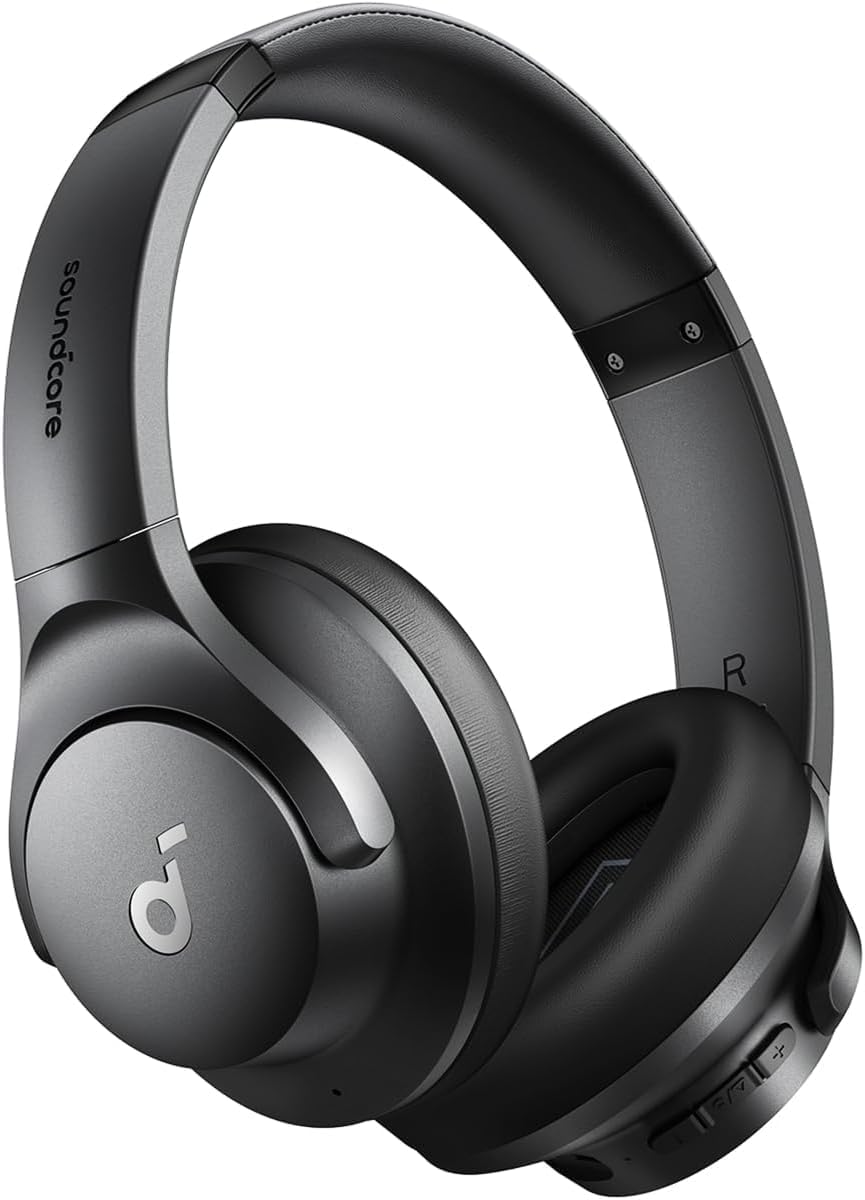
4.6 stars. Hybrid active noise cancellation at $19.97 — a price point that used to be impossible for real ANC. 40 hours battery life, Hi-Res audio, transparency mode for when you need to hear someone. The difference between working with and without ANC in a noisy home environment is not subtle. It’s like going from a coffee shop to a library. Check price on Amazon
3. Rocelco 37.5″ Deluxe Standing Desk Converter — $139.99

4.5 stars, 277 reviews. 4.4 stars, 1,277 reviews. A 37.5-inch converter with a retractable keyboard tray and gas spring assist — lifts smoothly with one hand. Wide enough for dual monitors with room to spare. Sturdy build, minimal wobble. One of the most reviewed converters in this size range. A proven workhorse for anyone making the sit-stand switch for the first time. Check price on Amazon
4. VIVO Dual Monitor Desk Mount — $34.99

4.6 stars. Dual monitor setup is one of the most productivity-validated desk upgrades in knowledge work — studies consistently show 20–30% productivity gains for tasks that involve referencing one screen while working on another. This mount frees your desk surface, gets both screens to eye level, and makes the dual monitor setup look intentional and clean. Check price on Amazon
5. Airlonv LED Desk Lamp with Clamp — $20.97

4.6 stars. Clamp-mount lamp that attaches to your desk edge and leaves your surface clear. Step-less dimming, adjustable color temperature, USB-C powered. If you’re on video calls, proper front lighting makes you look professional instead of like a silhouette. For under $21 this is an instant upgrade to both your focus environment and your on-camera presence. Check price on Amazon
Priority Order if You’re on a Budget
- Start ($19.97): Soundcore Q20i — noise is the #1 focus killer in home environments
- Add ($39.95): Quntis monitor light — eliminates eye fatigue and glare headaches
- Then ($20.97): Airlonv desk lamp — lighting as a productivity tool
- When ready ($34.99): VIVO dual monitor mount — unlocks dual screen workflow
- Full setup ($127.99): FITUEYES standing converter — the focus reset button
FAQ
Does desk setup actually affect productivity?
Yes, measurably. Lighting quality affects alertness and error rates. Noise affects working memory. Monitor position affects fatigue. These aren’t soft benefits — they show up in output quality and hours needed to complete tasks.
Is a second monitor worth it for remote work?
For most knowledge workers, yes. The productivity gain is most pronounced for tasks involving research, writing with sources, spreadsheet work, and coding. If you spend more than 2 hours a day switching between windows, a second screen pays for itself quickly.
Do noise cancelling headphones help with focus?
Significantly, especially in shared living situations. ANC doesn’t just block noise — it reduces the cognitive load of actively ignoring background sounds, freeing that mental bandwidth for actual work.
The Honest Summary
My productivity problem wasn’t me. It was my environment actively working against focus — bad lighting, unmanaged noise, no visual separation from home mode. The setup was gaslighting me into thinking I was the problem.
Under $150 in gear. Two weeks to full recovery. If you’re grinding longer hours and getting less done, look at your desk before you look at yourself.
Related: WFH Body Pain: The Ergonomic Fix | Best Standing Desks 2026