
As an Amazon Associate, we earn from qualifying purchases.
Finding the best monitors under $350 for home office use has gotten easier in 2026 — the gap between budget and premium displays has narrowed significantly, and you can now get genuine 4K IPS at this price point. The right monitor depends on whether you prioritize raw resolution, color accuracy, ergonomics, or eye protection for long working hours.
We compared five of the best-selling home office monitors on Amazon priced under (or near) $350. Here’s how they stack up.
Quick Comparison
| Monitor | Price | Resolution | Best For |
|---|---|---|---|
| Dell S2722DC | $329.99 | QHD 2560×1440 | USB-C productivity |
| LG 27US500-W | $199.99 (20% off) | 4K 3840×2160 | Best 4K value |
| ASUS ProArt PA278CGV | $349 (5% off) | QHD 2560×1440 | Color accuracy / creative |
| Samsung S80D 27″ | $299 (29% off) | 4K 3840×2160 | 4K + premium build |
| BenQ GW2780 | $199.95 | FHD 1920×1080 | Eye-care, all-day comfort |
1. Dell S2722DC — Best for USB-C Productivity

The Dell S2722DC ($329.99) is a 27″ QHD (2560×1440) monitor with USB-C connectivity — meaning you can plug in a modern laptop with a single cable and charge it simultaneously. For home office users with a MacBook or USB-C laptop, this is a significant workflow convenience that most monitors at this price point don’t offer.
It also features full ergonomic adjustment — height, pivot, swivel, and tilt — which matters for long work sessions. Built-in speakers are included. The AMD FreeSync is there if you use it for gaming too. At $329.99, it fits comfortably within our $350 budget with USB-C plus full ergonomics.
Pros: USB-C single-cable connection with charging, full ergonomic adjustment, built-in speakers, 75Hz
Cons: QHD (not 4K), no HDR
Best for: MacBook and USB-C laptop users who want a clean one-cable desk setup.
2. LG 27US500-W — Best 4K Value Under $200
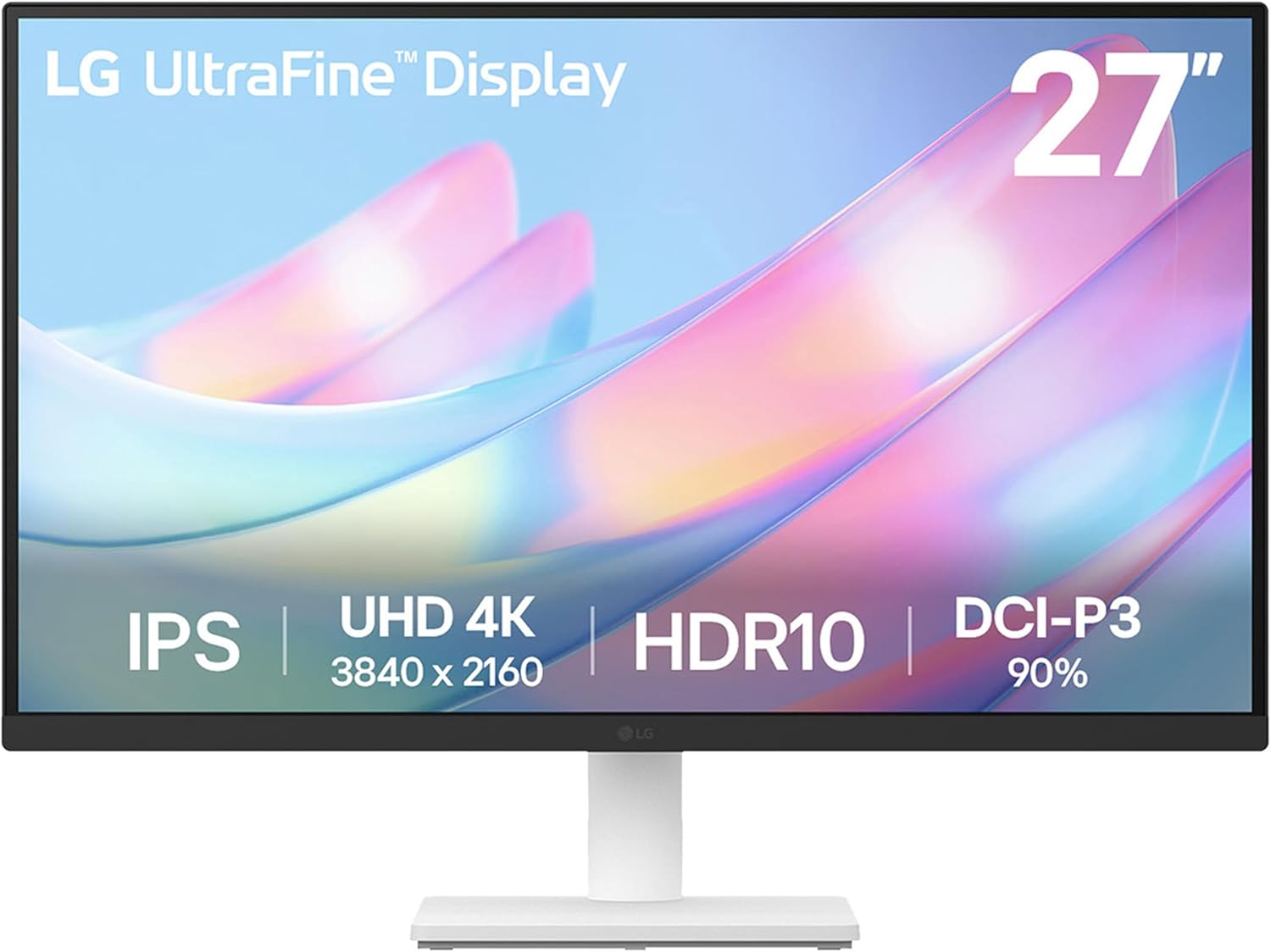
At $199.99 after the 20% discount, the LG 27US500-W delivers genuine 4K UHD (3840×2160) resolution on a 27″ IPS borderless panel — a combination that was $400+ just a few years ago. LG’s Reader Mode reduces blue light for long sessions, and the borderless design looks clean on any desk.
The 4K sharpness on a 27″ display is particularly noticeable for text rendering — everything looks crisper and more defined than on a 1080p screen. HDMI and DisplayPort inputs cover both laptop and desktop connections. If you want 4K without spending more than $200, this is the monitor to get.
Pros: 4K at $199.99 (outstanding value), IPS panel, borderless design, Reader Mode, Flicker Safe
Cons: No USB-C, limited ergonomic adjustment (tilt only), no built-in speakers
Best for: Budget-conscious buyers who want 4K resolution for document work, web browsing, and remote desktop.
3. ASUS ProArt PA278CGV — Best for Color Accuracy

The ASUS ProArt PA278CGV ($349, 5% off) is the professional’s choice in this roundup. Calman Verified with 95% DCI-P3 color coverage and delta-E less than 2 accuracy, it’s designed for photo editors, designers, and anyone who needs to trust what they see on screen. The 144Hz refresh rate is also unusual at this price for a professional-grade panel.
USB-C at 90W charging makes it a strong workstation choice. Height-adjustable stand with full ergonomic range. DisplayHDR 400 support. At $349, it fits right at the top of our budget.
Pros: Calman Verified color accuracy, 95% DCI-P3, 144Hz, USB-C 90W, full ergonomic stand
Cons: QHD not 4K, not necessary for non-creative work
Best for: Graphic designers, photographers, and video editors who need factory-calibrated color accuracy.
4. Samsung ViewFinity S80D 27″ — Best 4K Under $300

The Samsung S80D ($299, currently 29% off from $420) is the best-value 4K pick in this roundup. At 4K UHD with HDR10, multiple ports (HDMI, DisplayPort, USB-A), and a height-adjustable stand — this is a feature set you’d expect to pay $400+ for. The 3-year warranty adds long-term confidence.
Samsung’s panel quality is consistently excellent, and the S80D benefits from their IPS-level panel tech with good viewing angles. The 29% discount makes this the strongest all-around value for a proper 4K home office monitor right now.
Pros: 4K HDR10, height-adjustable stand, multiple ports, 3-year warranty, strong discount
Cons: No USB-C
Best for: Home office users who want the best overall 4K monitor well within the $350 budget.
5. BenQ GW2780 — Best for Eye Care & All-Day Comfort

The BenQ GW2780 ($199.95) trades raw resolution for features designed specifically for long-hour screen time. BenQ’s Eye-Care suite includes flicker-free backlighting, Low Blue Light technology, anti-glare coating, and Adaptive Brightness that adjusts to your room’s lighting automatically.
It’s FHD (1920×1080), not 4K — but for productivity and document work on a 27″ screen, 1080p is perfectly readable. Built-in speakers, standard HDMI/DisplayPort/VGA connectivity, and a tilt-adjustable stand round out a solid package. If you deal with eye strain after long work sessions, BenQ’s eye-care tech is the real differentiator here.
Pros: Excellent eye-care suite (flicker-free, low blue light, adaptive brightness), anti-glare, built-in speakers, $199 price
Cons: FHD only (no 4K), basic ergonomics (tilt only)
Best for: Home office users with eye strain issues, or anyone who stares at a screen for 8+ hours daily.
How to Choose a Home Office Monitor Under $350
The core trade-off in this price range is resolution vs. features. The 4K monitors (LG, Samsung) give you sharper text and more screen real estate. The Dell and ASUS add USB-C and full height adjustment. The ASUS ProArt at $349 is the only factory-calibrated option for color-critical work.
For document-heavy work (writing, spreadsheets, coding), 4K makes a visible difference in text clarity — go LG or Samsung. For color-critical work, the ASUS ProArt is the only calibrated option in this budget. For all-day screen time with eye comfort as the priority, BenQ’s eye-care suite is worth more than extra pixels.
One often-overlooked factor: connectivity. Check how many HDMI/DisplayPort ports you need and whether USB-C matters for your laptop. The Dell S2722DC is the only USB-C option in this roundup.
Frequently Asked Questions
Is 4K worth it for a home office monitor?
For text-heavy work, yes — 4K makes a noticeable difference in sharpness on a 27″ display. For spreadsheets and coding especially, text is meaningfully crisper. For video calls and general browsing, the difference is less dramatic.
What’s the best monitor under $200 for home office?
The LG 27US500-W at $199.99 and the BenQ GW2780 at $199.95 are both excellent at this price. LG for 4K resolution, BenQ for eye-care features.
Do I need a 144Hz monitor for home office work?
No — 60-75Hz is perfectly smooth for productivity tasks. 144Hz matters for gaming. The ASUS ProArt offers 144Hz but it’s not a reason to buy it unless you also game or edit video.
Is QHD or 4K better for a 27″ home office monitor?
Both are sharp at 27″. 4K (3840×2160) is noticeably sharper for text and fine detail. QHD (2560×1440) requires less GPU power and is still a significant upgrade from 1080p. At this price, 4K options are now available, so 4K is generally the better long-term choice.
What size monitor is best for working from home?
27″ is the sweet spot for most home office desks at normal viewing distance (24″-30″). 32″ works well if you sit farther back. Below 24″ can feel cramped for productivity work.
Final Verdict
For most home office users, the LG 27US500-W at $199.99 is the standout value — 4K at under $200 is genuinely exceptional. If you need 4K with a height-adjustable stand, the Samsung S80D at $299 is worth the extra $100. For USB-C and full ergonomics, the Dell S2722DC at $329.99 is the one. And for color-critical creative work, the ASUS ProArt at $349 is the only factory-calibrated option in this budget.